Jev VJ
Like everyone else on the Internet, I also created a Jev demo: a VJ app with Jev.
I made a #Jev VJ demo.
— 𝘼𝙈𝘼𝙂𝙄 (@amagitakayosi) September 22, 2026
Jev listens to what I say, suggests the matching video clips to me, then I manually switch them.
I wrote a list of clips & effects with short description beforehand, so it can pick the best combination, just like the official "What color is the sky" demo. https://t.co/0YVfoa6INP pic.twitter.com/4S5SoDgoEJ
Code: https://github.com/fand/jev-vj
In this demo, Jev works as a companion. To the user prompt in the textbox at the bottom, Jev picks the optimal combinations of clip & effect. User switches them manually, so the videos actually play perfectly in sync with the music.
I'll explain what I've found while building this, and my thoughts on AI-aided visual development.
Architecture
So like you all, I just stumbled upon the post by Diogo. I found it interesting, especially Jev's ability to play Doom. I'm a graphics nerd and I'm always looking for new ways for VJ-ing, and VJ-ing is kinda similar to playing video games, I thought Jev can lead us to a new VJ experience.
But soon I hit a wall. Jev's gameplay ability is based on its Choice model, which excels at finding the optimal answer from the provided choices. To put this into practice we need to provide the current game state, in other words the state must be evaluable. However in VJ performance the evaluation is our perception, there's no score.
Also, even with Jev's blazing-fast response we cannot let it switch the videos exactly on the beat. Here in Vancouver, Jev's response time is around 90ms-260ms, which is roughly one or two 16th notes at 120BPM, still too much latency for music / live visuals.
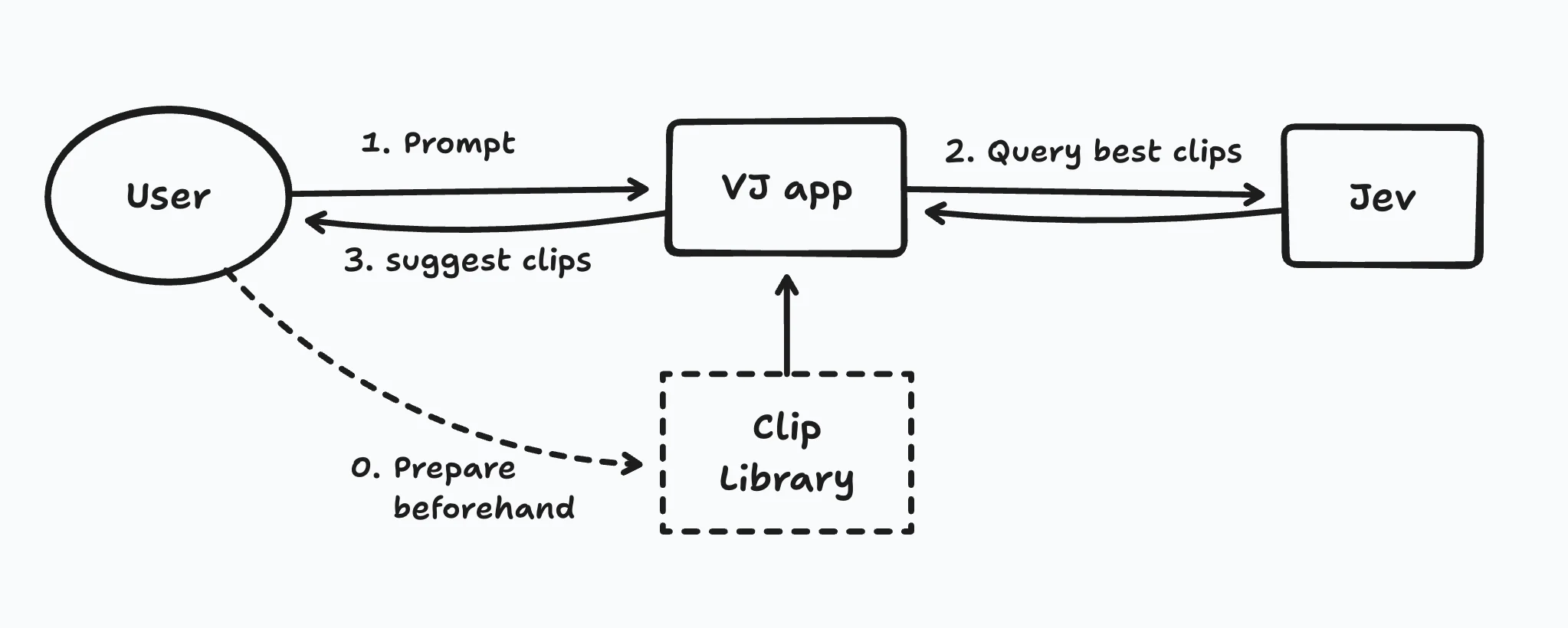
So I changed the approach; I let Jev just suggest candidates for the next clip. I created a full clip list with metadata like color, bpm, camera movement etc, and included it in the context of the prompt. Jev uses it as the criteria to score the choices and suggest clips in async, then we evaluate the suggested clips and switch them on the beat. The latency doesn't matter anymore.
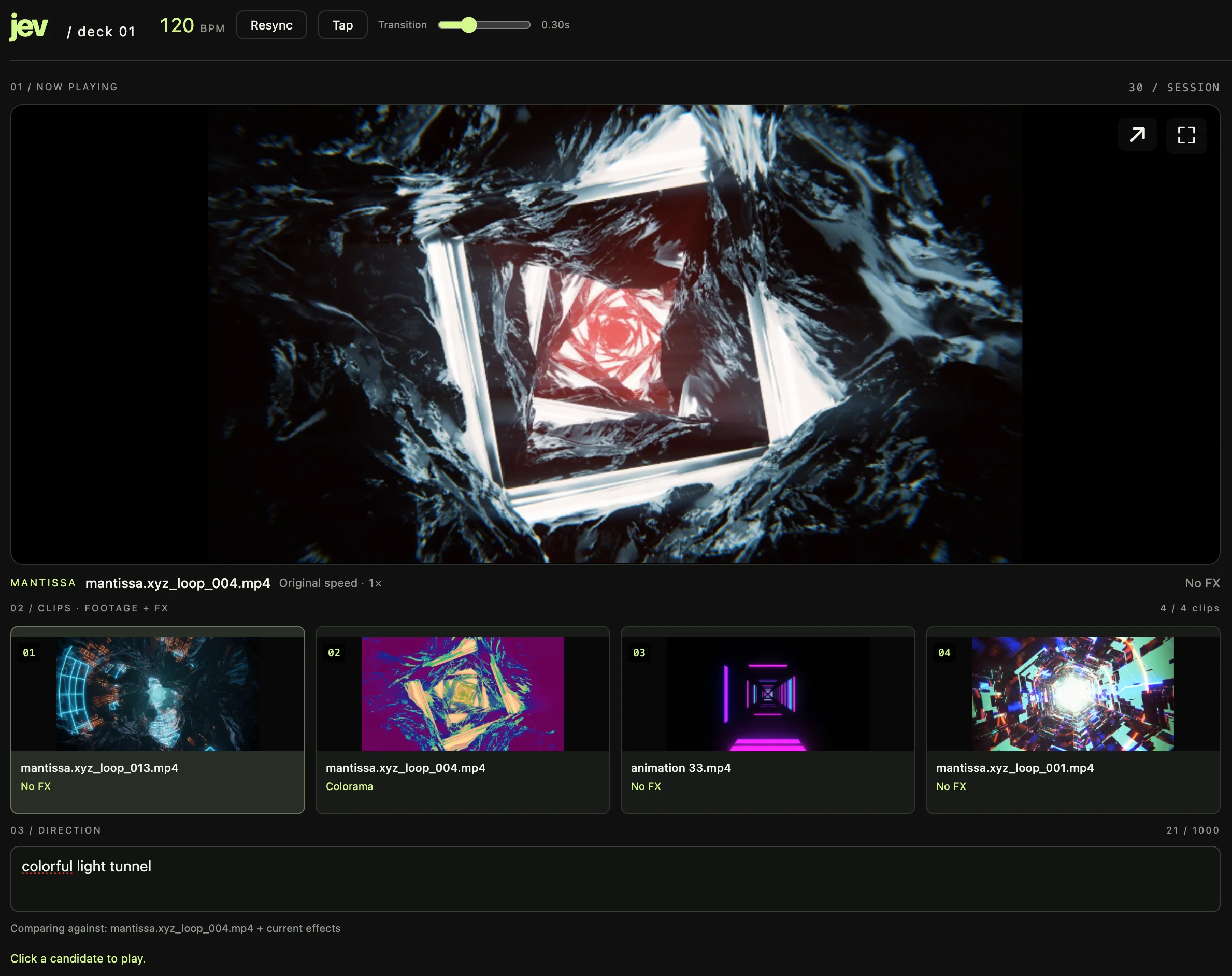
I let Astra create a demo with this approach. It required a few hours of iteration to stabilize the UI and fix bugs / performance issues, but finally it worked!
Clip Library
The biggest problems heres is obviously the library. We have to provide a thorough list of the clips with descriptions concise yet detailed enough to let Jev find the best clips. Unfortunately I couldn't find a way to fully automate this preparation. Here's what I tried:
First i tried extracting every 10th frames from a video with ffmpeg, then fed them to Astra. It comprehends static images pretty well, but Astra cannot understand the motion inside the frame sequence. I also tried increasing frame frequency but it didn't help.
I heard Gemini can handle videos pretty well, so I tried it next. At first it looked promising; Gemini gave me a full list of features in the video, like color palette, materials, and the camera movement. However I found that it cannot remember the details when there are many moving objects in the video. One example is this video by Mantissa; there are thousands of particles moving rapidly and a hard light flicker, but Gemini described this clip "ideal for slow ambient music" just looking at the camera movement speed.

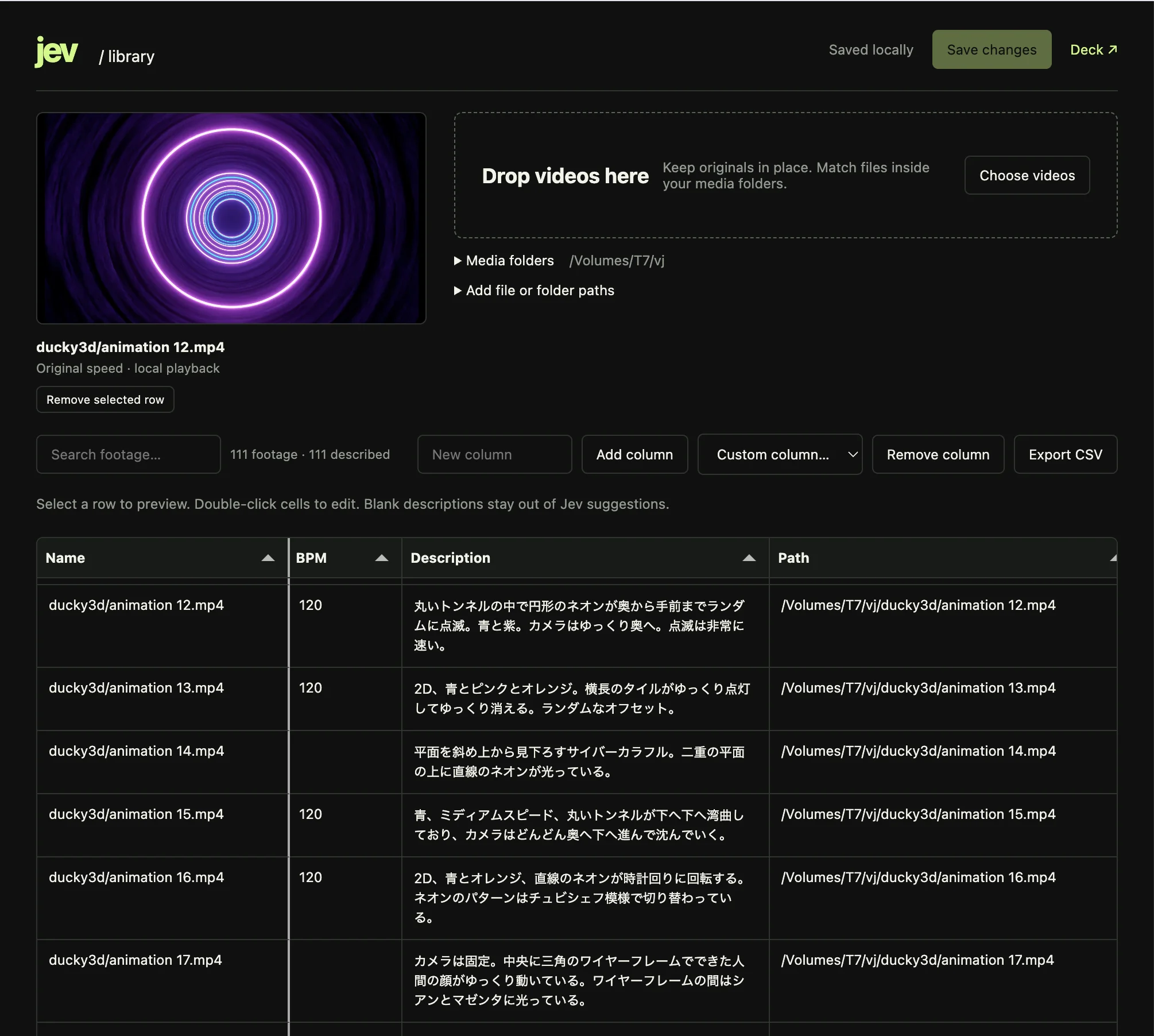
For this demo, I took a semi-manual approach. I let Astra prepare a Markdown template with filenames, then I wrote description for every video using AquaVoice. This was tedious but most flexible as we can edit it easily 😇
Later I made a library editor, where we can manage those clip data in a spreadsheet. It's still tedious... but I think we need this kind of manual library work for any kind of VJ work, even with completely different AI-aided systems.
Token limit
Once you got a full detailed clip list, it leads to another problem; token limit. With 112 clips I used, the token count was 27k, 84% out of 32 limit. The more clips you add and more detailed descriptions you write, you'll face the severe token limitation... This is a common problem in LLMs though.
Here's an excerpt from the API request:
{
  "model": "jev-latest",
  "questions": {
    "clip": {
      "type": "choice",
      "instructions": "Rank the available footage for a VJ preview deck using state.prompt and state.clips.",
      "criteria": {
        "Opti/Opti6.mov": "Inorganic metal square tunnel with multiple grilles. White light dots travel upward on the grilles while the camera advances at medium speed.",
        ...
      }
    }
  },
  "state": {
    "prompt": "white light metallic machine",
    "action": "candidates",
    "clips": [
      // Detailed description
      {
        "id": "Opti/Opti6.mov",
        "description": "Inorganic metal square tunnel with multiple grilles. White light dots travel upward on the grilles while the camera advances at medium speed.",
        "attributes": {
          "color.palette": ["white"],
          "material.types": ["metal"],
          "camera.translation": ["forward_into_scene"],
          "camera.translation_speed": "medium",
          ...
        },
        ...
      }
    ],
    "available_ids": [...], // Playable clips, total 111
    "candidate_ids": [...], // Choosable clips, total 109
    "excluded_recent_ids": [
      "ducky3d/Animation 6.mp4",
      "tatsuyam/aqua_10.mp4"
    ],
    "current_clip_id": "ducky3d/animation 15.mp4",
    "current_clip": { ... }, // Short description of the current clip
    "current_effects": [],
    "history": [...] // Recently played clip IDs
  }
}
To mitigate the token limit, we could structurize the queries and the clip composition. My demo only had 1ch output, but for example, we can sort clips into 2 layers; layer A for overlay clips (2D geometry, patterns, text etc) and layer B for 3D graphics, etc. On request we only send the clip list for the selected layer, will reduce the cotext 50%. We can also choose the category first and let Jev seek videos only in the corresponding sub directory (e.g. "Sci-fi > minimal techno" or "Organic > deep sea"). I haven't tested them yet though.
Conclusion
I heard this kind of auto-suggestion features are already in DJ apps, but there's no VJ apps providing this feature, AFAIK. Probably that's due to the technical difficulties in video analysis, but Jev or other AI-driven methods can help the situation.
This was just a rough prototype, but I hope people will find more interesting use cases in live audio/visual world, instead of just generating clips.